
10 steps to create a TCEQ STEERS account
A STEERS account is required to submit your TCEQ Notice of Intent
and obtain your Electronic Reporting number (ER number).
Simple 10 step guide to setup your account
Designed for construction projects applying for permit coverage
Step 1
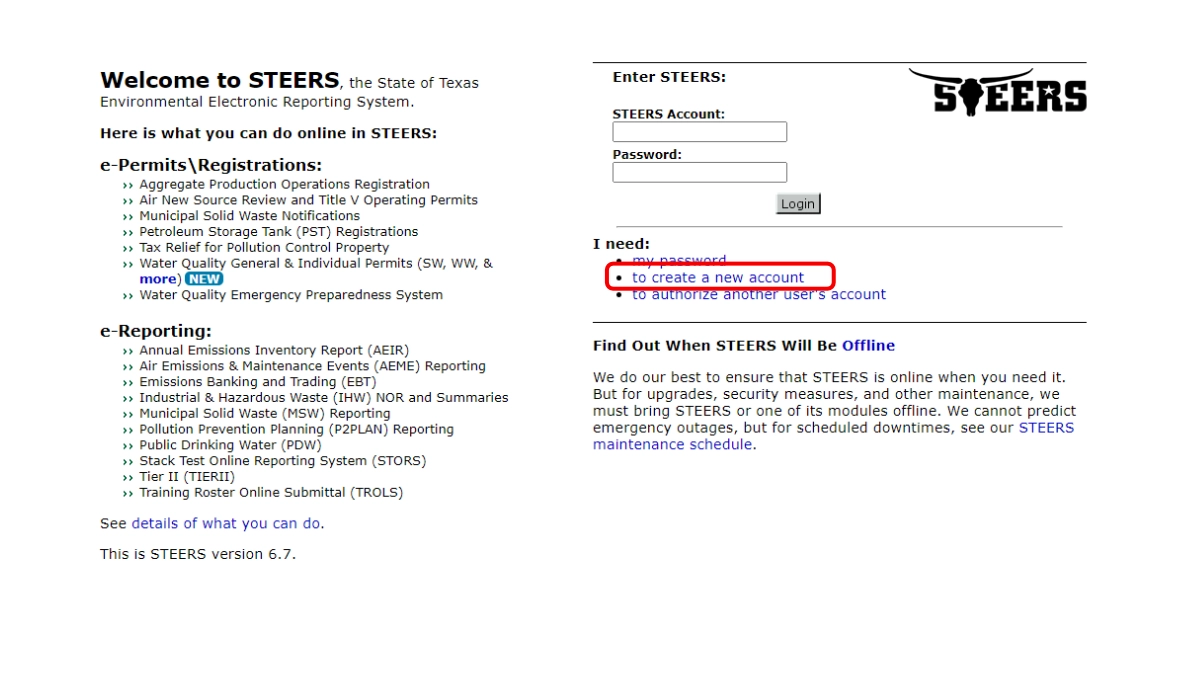
Select to create a new account under I need.
Step 2
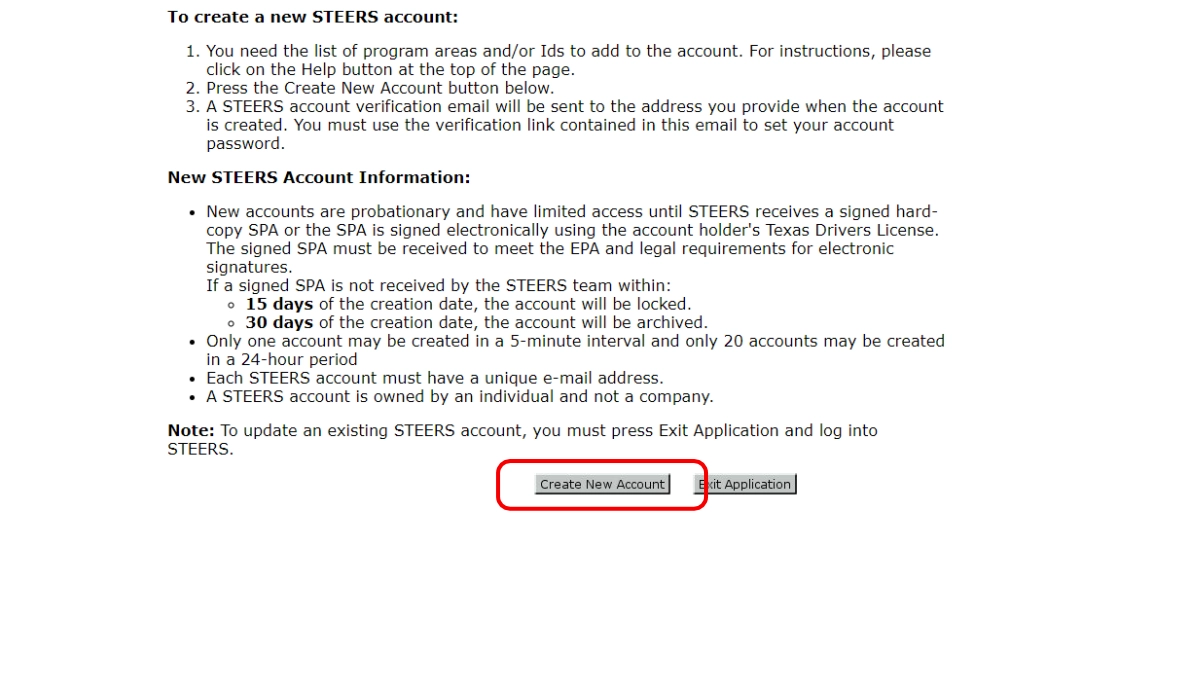
Review and select create new account.
Step 3
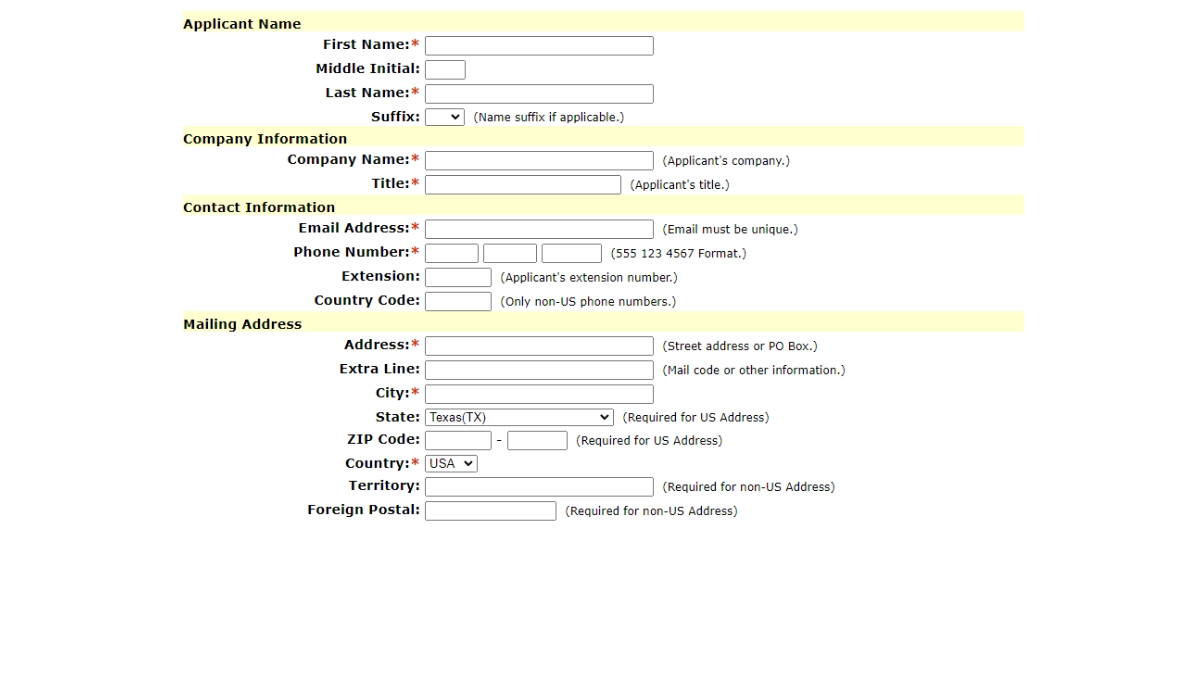
Fill in the required fields. Then select next.
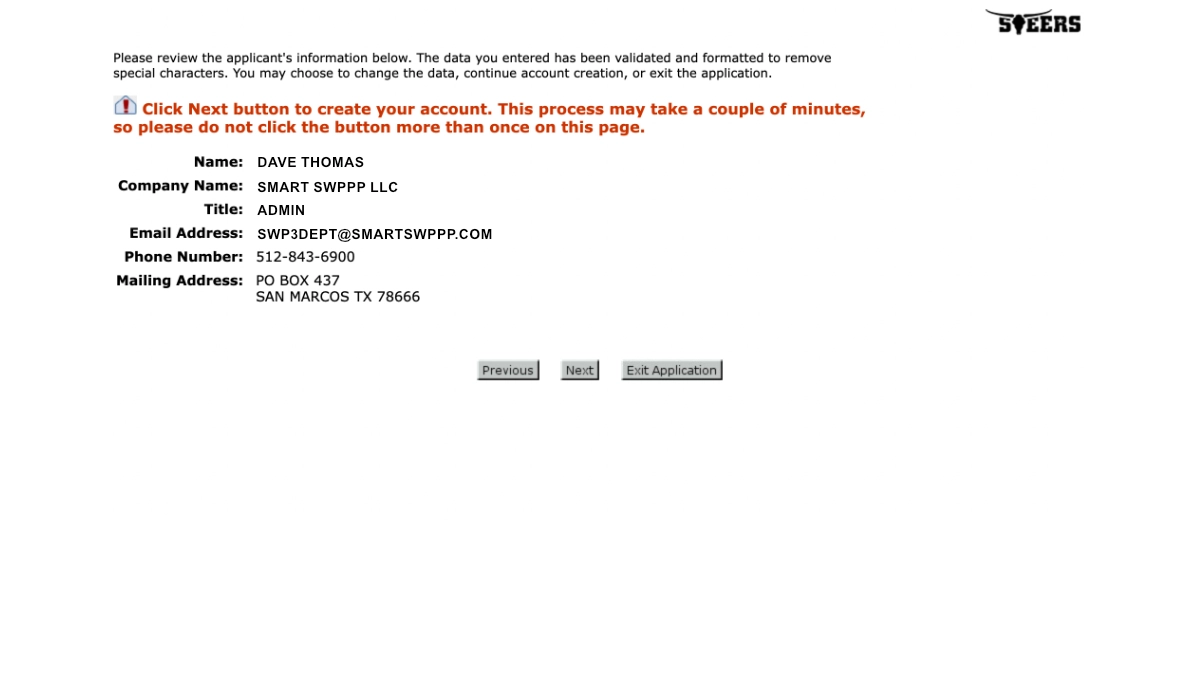
Step 4
Confirm your application information. Then select next.
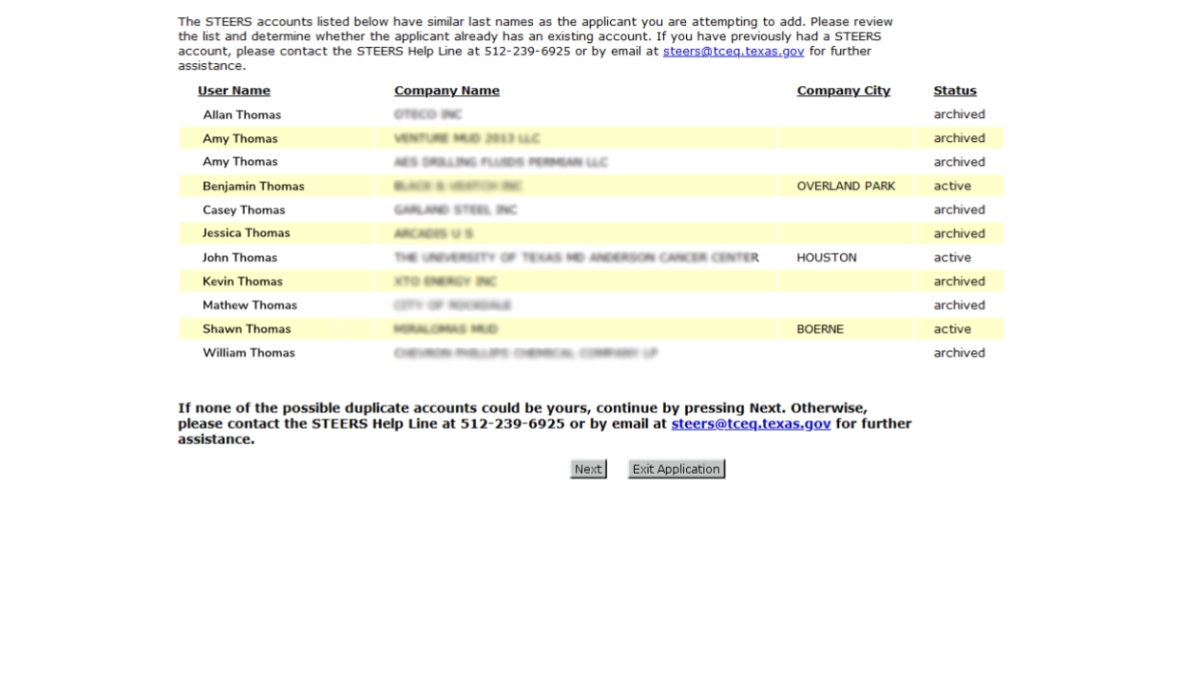
Step 5
Confirm that you are not creating a duplicate account. Then select next.
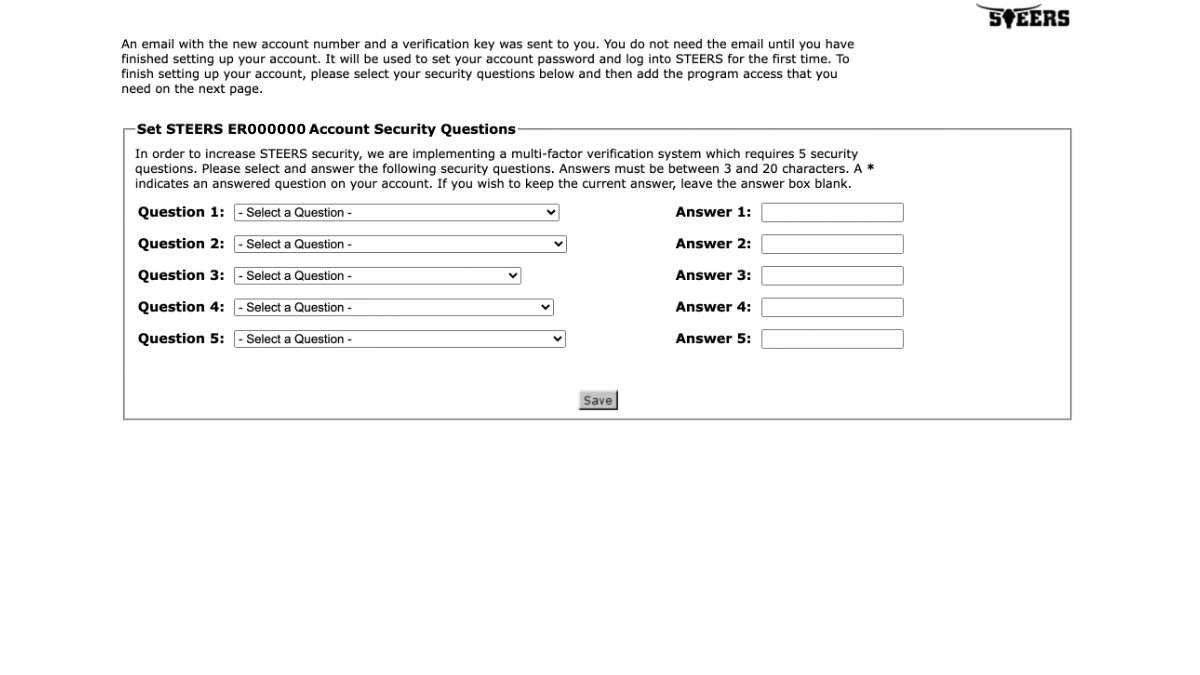
Step 6
Select your security questions and provided answers. Then save.
You’ll be required to answers one of these questions each time you login.
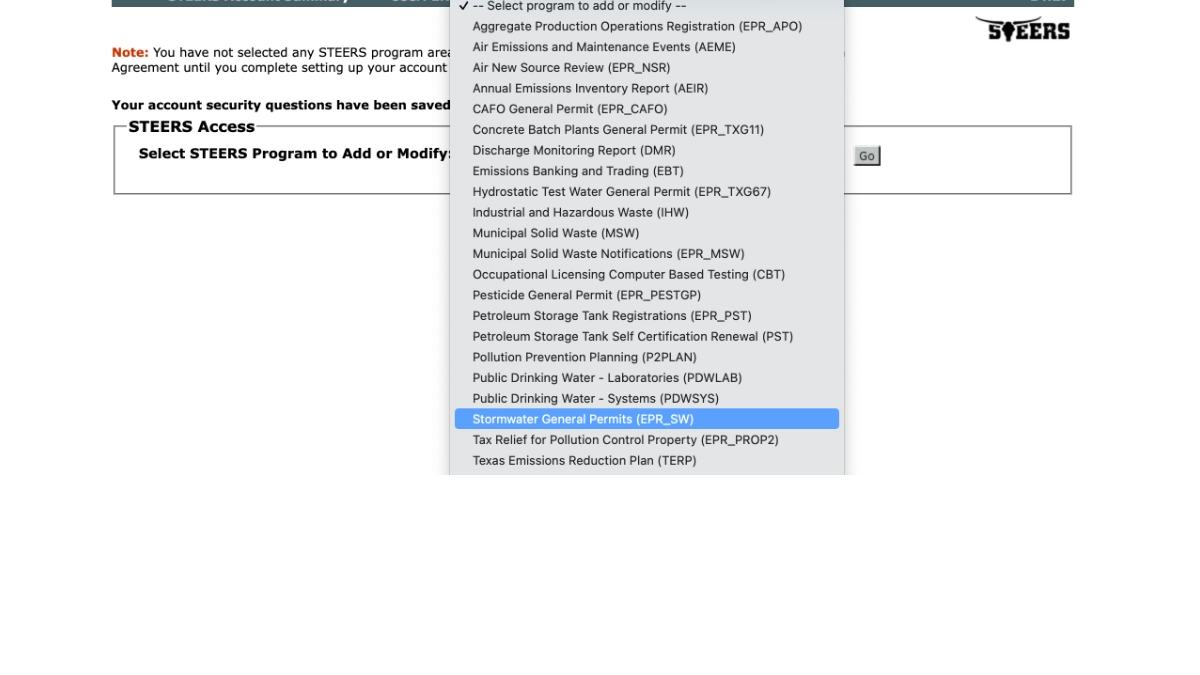
Step 7
Select Stormwater General Permits as your program area.
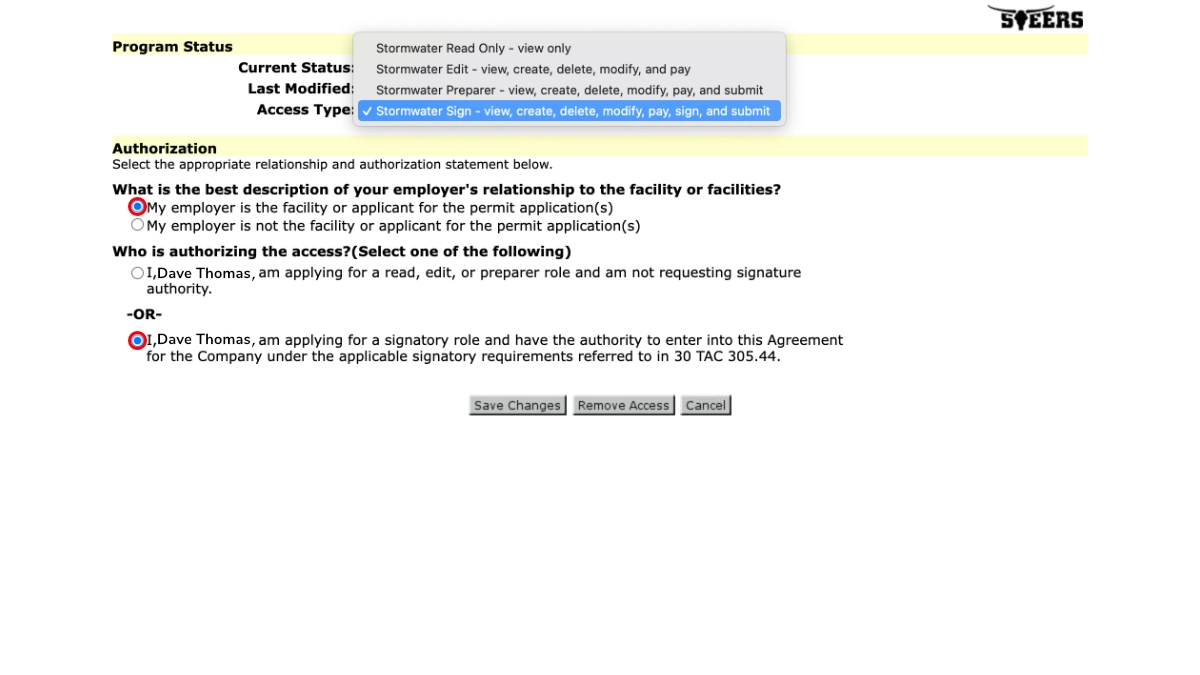
Step 8
Select Stormwater Sign as your role. Then select your relationship and authorization type. Save your changes.
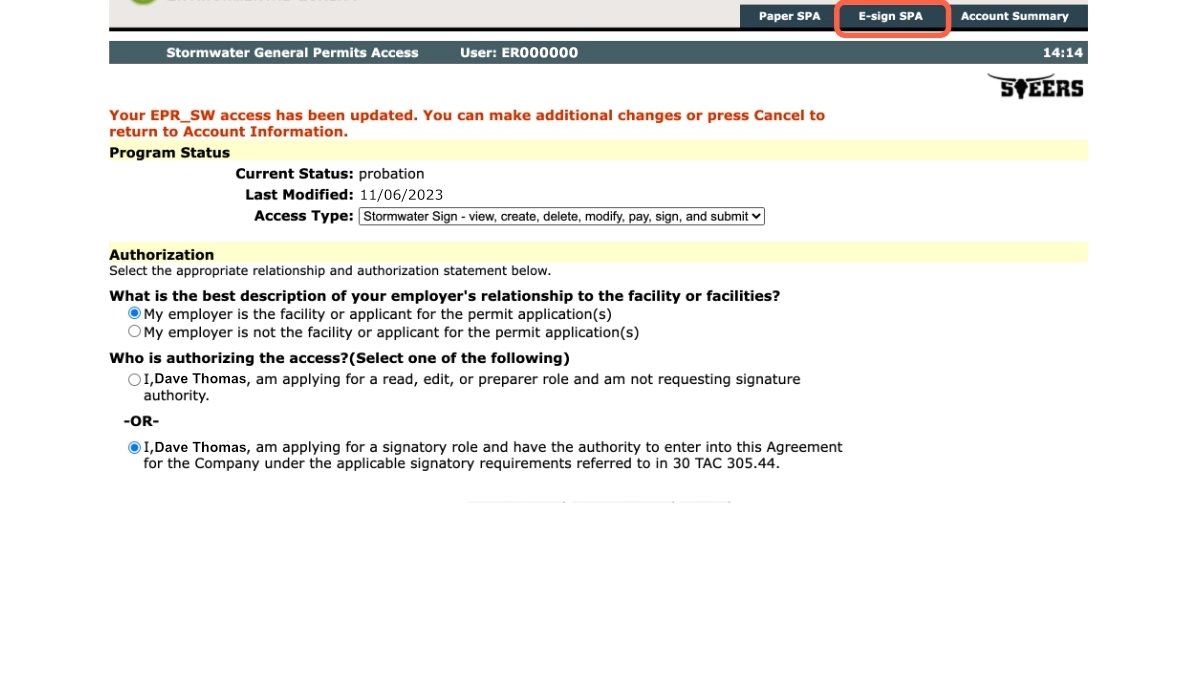
Step 9
Go to your STEERS Participation Agreement (SPA). Select E-Sign if you hold a valid Texas Divers License. Out of state users will need to sign a Paper SPA.
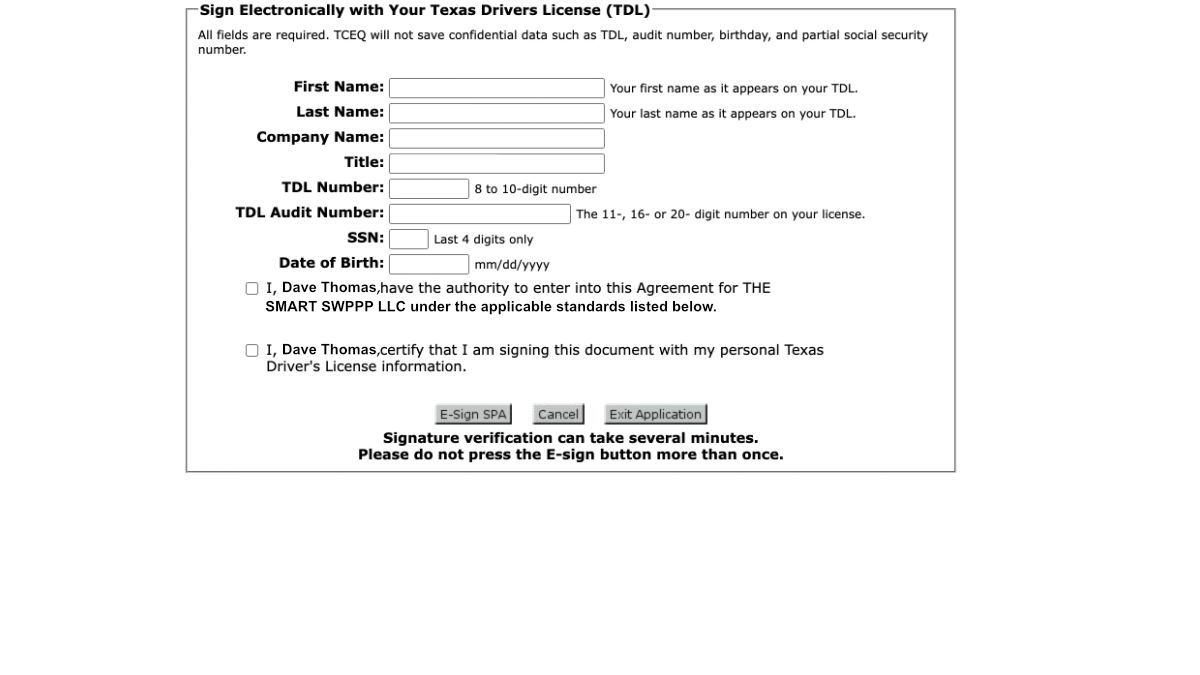
Step 10
Review the terms of the STEERS Participation Agreement and complete SPA fields to sign the agreement. Then select E-Sign SPA to complete the SPA.
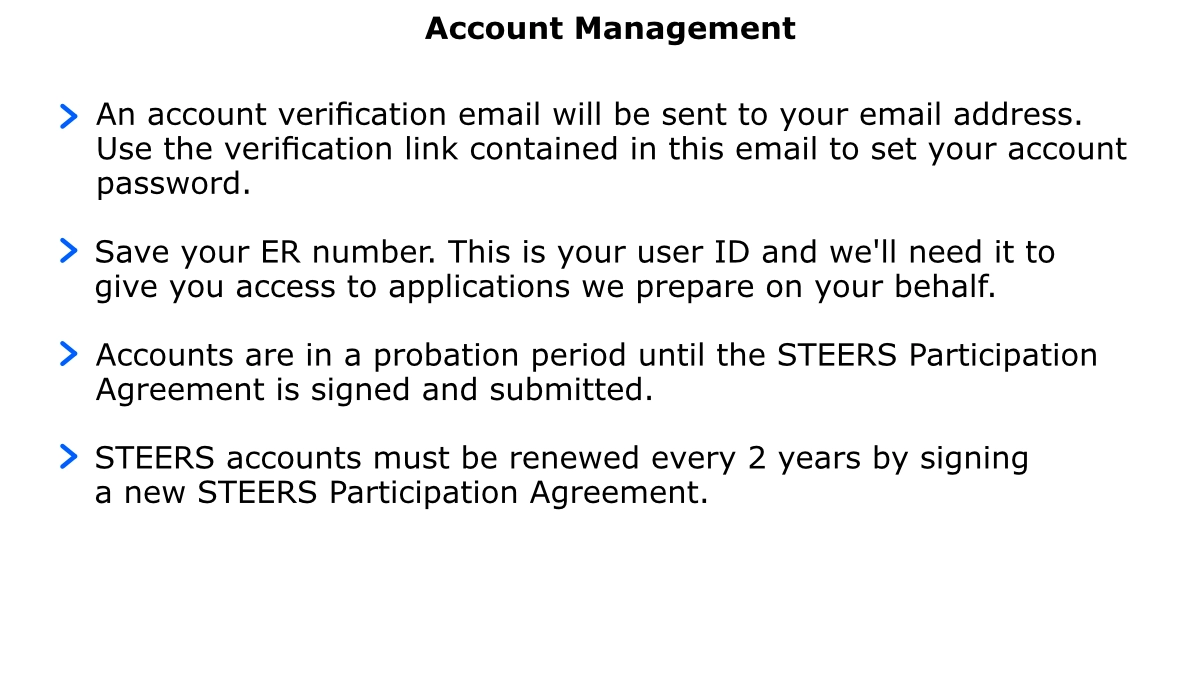
Your Done
Frequently Asked Questions
The State of Texas Environmental Electronic Reporting System (STEERS) account is required to access the ePermitting system used by TCEQ to collect reports and permit applications. As of September 1, 2018, TCEQ requires that all permit applications be submitted through STEERS.
- A unique email address not previously used for a STEERS account
- A valid phone number
- A valid mailing address
- A valid Texas driver license for the Electronic STEERS Participation Agreement (non-Texas residents will need to mail in a paper SPA)
No. STEERS accounts are assigned to an individual, not a company or organization. Everyone accessing STEERS must establish their own individual account.
Typically 20 minutes, with a valid Texas Drivers License.
TCEQ uses the Texas Department of Public Safety’s driver license database to verify the identity of the STEERS account holder.